
Four tools, any model: letting chat make pictures and video on a home GPU
A recipe for letting any chat model in Open WebUI make pictures and short videos on a local GPU workstation: four thin tools in front of one image and video API, one model preset per chat model, and a phone as the front end.
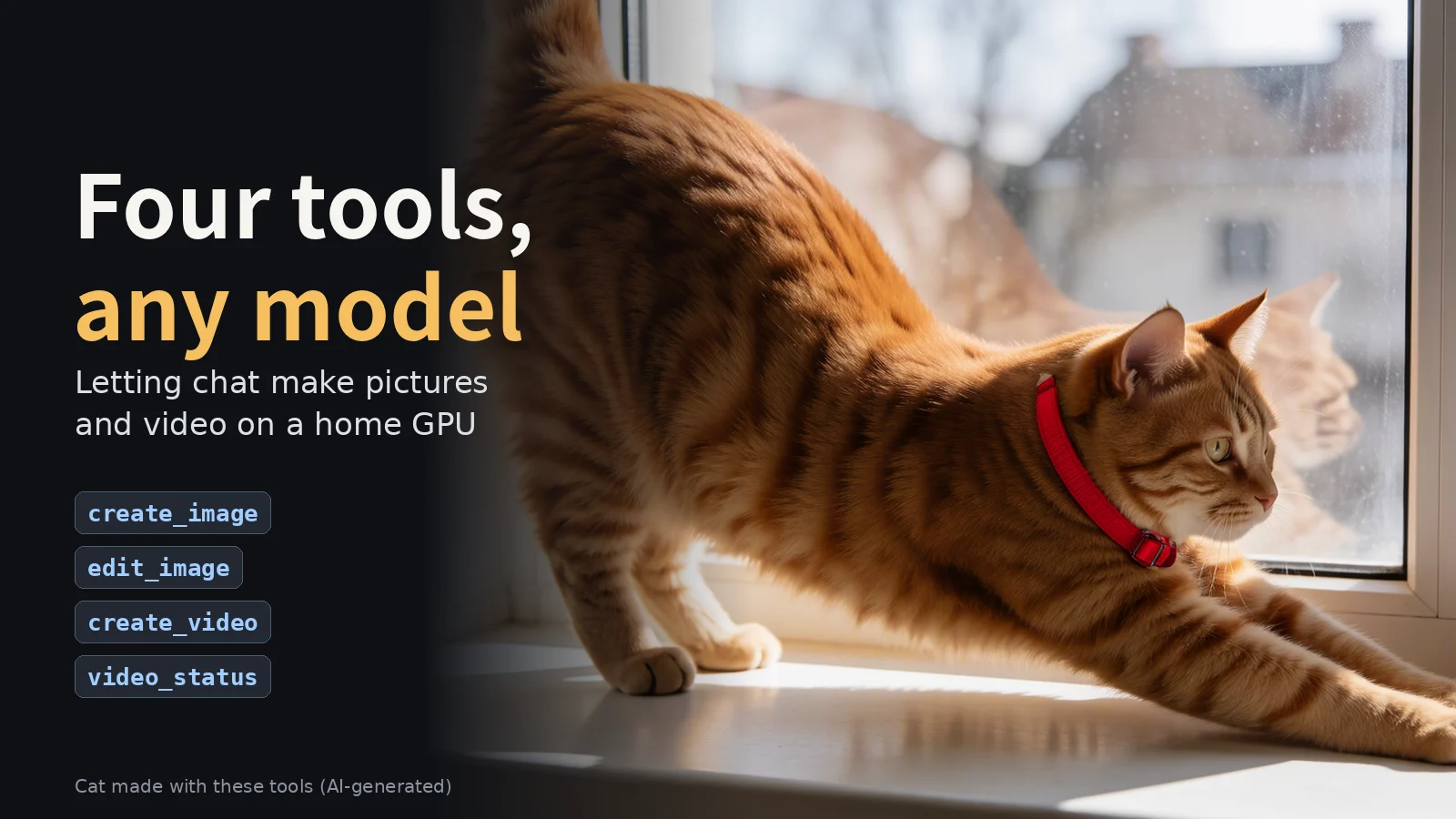
Key takeaways
- Four thin tools in front of one image and video API: create_image, edit_image, create_video and video_status. The API owns the engine, the size and the presets, so every chat model behaves the same way.
- A picture blocks until it is done and comes back inline. A clip cannot: the chat front end cuts a tool call at 300 seconds, so create_video answers at once and the clip is collected later.
- Keep the tool list small and make the budget a test: at most 5 tools, at most 300 characters per description, one ceiling on the whole list.
- Stamp every job with its chat id and its kind, so "last" never resolves to a clip when a picture was meant.
- Describe the sound in the prompt. A video model that writes its own audio will invent sounds you did not ask for.
Tap the picture above to watch the two-minute film on YouTube. Music: "Neon Rain", from our own AI music lane. Every picture and clip in it is AI-generated.
Any chat model in Open WebUI can make a picture or a short video, as long as it can call tools and you give it four of them. The recipe below is what I ran: four thin tools in front of one image and video API, one model preset per chat model, and a phone as the front end.
It is for builders who already have a local GPU and want a single chat front end for pictures and video. You do not need a special chat model. MiniMax M3 and Grok both work, and any other model with native tool calling should behave the same.
The result: four tools, create_image, edit_image, create_video and video_status, in front of one image and video API. A picture comes back inline in the chat. A video starts at once and is picked up later by asking for it.
What it takes
- Hardware. A local GPU workstation with enough memory for your image and video models. Everything renders on it; nothing goes to a cloud renderer.
- Open WebUI, with one model preset per chat model you want to use.
- An MCP tool server that speaks streamable HTTP and exposes the four tools.
- An image and video API you control. It resolves the engine, the size, the frames, the presets and the saved characters, then talks to the render engines.
- Render engines. Local image models for pictures, and one fast local video model with native audio for clips.
- A login gateway on your tailnet, so the phone can reach the chat over HTTPS.
- Time. About half a day for the video half of this, if the picture half already exists.
The path a request takes
- Phone browser opens the chat over HTTPS through the login gateway on the tailnet.
- Open WebUI serves the chat and attaches the MCP tool server, because the model preset says so.
- The MCP tool server speaks streamable HTTP. Each tool makes one job request to the API; a finished picture or still frame takes one more download. No polling loop, no job list.
- The image and video API resolves the engine, turns the aspect into pixels, applies a preset, submits the job, and stamps the job with the chat id and its kind.
- The render engines run on the GPU: local image models for pictures, a fast local video model for clips.
- The answer comes back as image bytes for a picture, which the chat shows inline, or as a link plus a still frame for a video, later.
The chat model does not have to be local. A model that only exists as a subscription command-line tool can sit behind an OpenAI-compatible gateway with native tool calling, and it uses the same four tools.
The recipe
Put your API behind four thin tools.
Each tool validates its arguments and forwards one HTTP call. Engine choice, sizes, frames, presets and character lookups stay in the API, so every chat model gets the same behaviour instead of its own idea of it.
- A saved character goes into the prompt as @name. An unknown name comes back with the list of valid names.
- A wrong value comes back as one line that names the valid ones. Errors teach, so the model can fix its own call.
Keep the tool list small, and enforce that in tests.
An earlier version of the tool server exposed 21 tools. Chat models used them to list jobs, check queues and get lost. The slim set has four. The budget is a test, not a habit: at most 5 tools, at most 1,500 tokens for the whole tools/list, at most 300 characters per tool description. The four tools take about 715 tokens.
Make long jobs send-off-and-ask-later.
A picture blocks until it is done (seconds) and comes back inline. That is fine. A video does not fit that way: Open WebUI cuts a tool call at 300 seconds, and a short clip takes about 2 to 5 minutes. So create_video returns at once with "rendering", the clip renders in the background, and the user asks later. video_status checks once and answers with the clip link and a still frame, or with "rendering" again. One check per call, no loop inside the tool.
A first design waited up to 240 seconds for the clip. It was replaced the same day, because a reply that ends cuts the call.
- Three aspects: 16:9, 9:16, 1:1.
- Length 1 to 15 seconds, default 3. A 3-second clip holds one action.
- Optional first frame and last frame. Each takes "last", an attachment name, or a job id.
- Optional named preset. It sets size and length only.
- One fast video engine for now. The video tool has no engine parameter.
- The same prompt, while that chat's newest clip is still rendering, returns that running job instead of queueing a copy.
- A saved character cannot be combined with a first or last picture. The API refuses that pairing.
Stamp every chat job with its chat id and its kind.
The chat sends a chat id with each tool call, so "last" means the newest item in this chat. The kind stamp keeps "last" from ever resolving to a video when you meant a picture.
Set up one Open WebUI preset per chat model.
The setup lives on the model, not in a global setting. Four settings:
- the MCP tool server attached,
- Open WebUI's built-in tools off,
- native function calling,
- the attachment filter attached.
A model without a preset gets about 40 of Open WebUI's built-in tools, knowledge, chat search, notes, memory, automations, sub-agents, and none of yours.
Attach the attachment filter.
The filter stages a picture the user attaches and tells the model the file name, so the model can pass that name to a tool. Without it, the tools have no name to pick the attachment up by.
Reach it from the phone.
The browser talks to the login gateway over HTTPS on the tailnet. The gateway holds the login and passes you to the chat. The clip link opens the same way.
Test with refused requests before real renders.
Live checks used requests the API was going to refuse anyway, so nothing rendered and no GPU time was spent until the change was accepted.
Privacy, in one rule
No chat text in the logs. The usage log keeps the tool name, whether the call worked, how many milliseconds it took, the engine and an error code. Never the prompt. The prompt the model sends is stored with the job in the gallery, because the gallery needs it to show what was rendered.
How long it took
The picture tools were built and deployed on 2026-11-06. The video tools landed on 2026-11-07, in about half a day. AI coding agents did the work on an isolated branch, with a review after each step and a final review from three angles: correctness, privacy, and conformance to the plan. The full test suite, 485 test gates, passed before anything was deployed.
Tool contract
| Tool | What it does | Key parameters | Returns |
|---|---|---|---|
| create_image | Makes one picture and waits for it. | prompt, aspect, engine, preset, draft | The finished picture, inline in the chat. |
| edit_image | Changes one picture. One change per edit. | image, instruction, aspect | The edited picture, inline in the chat. |
| create_video | Starts one short clip. No engine parameter. | prompt, aspect, seconds, image, last_image, preset | At once: a job id and "rendering". |
| video_status | Checks one clip. Never starts one. | job: "last" or a job id | One check: the clip link plus a still frame, or "rendering". |
- Aspects for pictures: 1:1 (default), 16:9, 9:16, 3:2, 2:3. For video: 16:9 (default), 9:16, 1:1. The API picks the pixels.
- image and last_image take "last" for the newest picture in this chat, an attachment name, or a job id.
- draft renders smaller and faster.
- With no engine named, the API keeps the engine of the chat's last picture and otherwise starts on the default. Name the engine to switch.
Things that went wrong
| Symptom | Cause | Fix |
|---|---|---|
| The model "went searching": it called knowledge, chat search, notes and automation tools. | The chat was on a model with no preset, so Open WebUI's built-in tools were on and the media tools were off. | Use a preset model, or turn the media tool on in the chat's tools toggle. |
| Error: Tool "create_image" not found. | Open WebUI connects the MCP tools fresh for every message and disconnects at the end of the reply. A reply that starts without that connection makes the model call tool names it remembers from earlier messages: the tool toggle was off for that message, the model has no preset, or the reply came from a built-in sub-agent, which does not inherit the chat's tools. The tool server was up the whole time. | Use a preset model, then start a new chat. |
| A long tool call was cut off mid-way. | Open WebUI closes the MCP session when the reply ends or is stopped. | Send-off-and-ask-later: create_video answers at once, and you ask later for video_status. |
| "last" resolved to a video when a picture was meant. | Jobs were not stamped with their kind, so the newest job of any kind matched. | Stamp every chat job with its chat id and its kind. |
| The same clip was queued twice. | The duplicate guard only catches an identical prompt while that chat's newest clip is still rendering. A different prompt always queues, and so does a repeat after the first clip has finished. | Wait for the first clip, or ask for the job id you already have. |
| video_status answered "rendering" again. | Each call checks once. The clip was not finished yet. | Wait a little and ask again. |
| The picture came out in an engine you did not ask for. | With no engine named, the API keeps the engine of the chat's last picture. | Name the engine in the request. |
| A video request that names an engine is refused. | There is one chat video engine, and the video tool has no engine parameter. | Ask for the clip without an engine name. |
Examples
Five steps from one chat, run on 2026-11-07. I called the four tools the same way Open WebUI does, with one chat id, so "last" behaved as it does in a real chat. The "You say" lines show the request a chat model turns into each call. Every picture and clip below is AI-generated by these calls; nothing was retouched.
What we got
| Step | Tool | Answered in | Result ready | Output |
|---|---|---|---|---|
| a. Picture | 30 s (it waits) | 29 s | 1216 × 832 picture | |
| b. Edit | 34 s (it waits) | 32 s | 1216 × 832, only the collar changed | |
| c. Video from text | 0.14 s ("rendering") | 3 min 13 s (video model loading first) | 3.0 s clip, 832 × 480, 24 fps, with sound | |
| d. Asking later | under 0.5 s per check | checked every 20 s | link plus still frame | |
| e. Video between two pictures | 0.18 s ("rendering") | 1 min 22 s (model already loaded) | 3.0 s clip, 832 × 480, 24 fps, with sound |
Total GPU time for all four renders: about 5 and a half minutes.
Describe the sound, or the video model invents it. The first takes of examples c and e used one-line prompts. The video model filled the silence with a rattling noise and a meow from a cat whose mouth never opened. Written in the model's three parts, with the sound described and non_diegetic_music: N/A, the same requests came back with quiet room tone, birdsong and closed mouths. The chat model writes those parts, so give it a short guide to the format.
Example a: a picture.
You say: "Make a picture of a ginger cat stretching on a sunny windowsill."
The model calls:
create_image(prompt="a ginger cat stretching on a sunny windowsill", aspect="3:2")You get back after 30 seconds: the picture inline, plus a short status (trimmed):
{"job_id": "75e45c4b-…", "status": "completed",
 "width": 1216, "height": 832, "image_url": "https://<your-gateway>/jobs/75e45c4b-…/image"}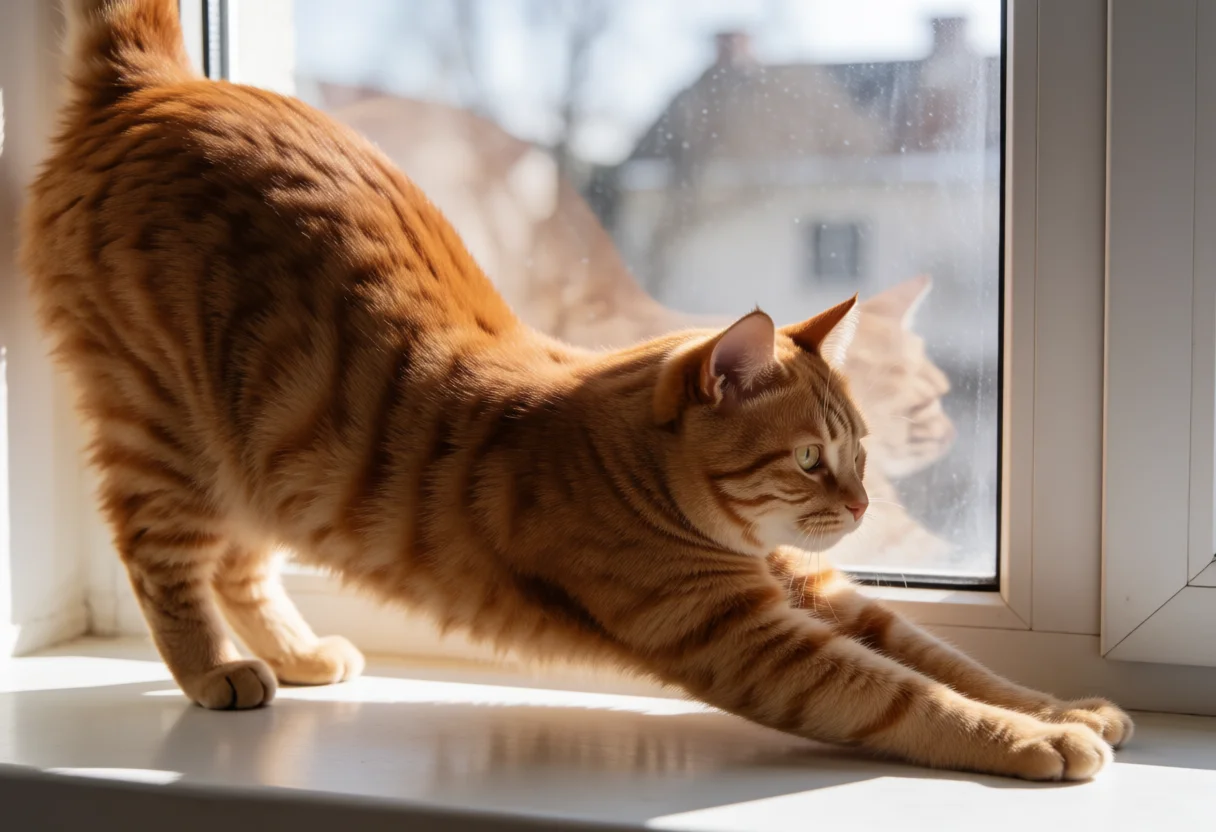
Example b: an edit of the last picture.
You say: "Give the cat a red collar; keep the cat, window and light the same."
The model calls:
edit_image(image="last", instruction="Give the cat a red collar; keep the cat, window and light the same")You get back after 34 seconds: the edited picture inline. The pose, the window, the reflection and the light are unchanged; only the collar is new. It is now the newest picture in the chat.

Example c: a video from text.
You say: "Make a 3 second video of a ginger cat stretching on a sunny windowsill, slow push-in."
The model calls create_video(prompt=..., seconds=3), and writes the prompt in the video model's three parts: what happens and when, what you hear, and the music (none):
integrated_multimodal_description: [Shot 1] Live-action, cinematic, medium shot. At the start, a ginger tabby cat stands on a white-painted windowsill in warm afternoon sunlight, blurred houses visible through the window glass. At 1.000 seconds, the cat stretches forward, its front paws sliding out along the sill as its back arches low. At 2.000 seconds, the cat eases out of the stretch, mouth closed, and blinks slowly at the light. The camera pushes in with small amplitude at slow speed toward the cat. Warm low sunlight from camera right, soft shadows on the white sill. A calm, quiet afternoon atmosphere.

overall_soundscape: Quiet indoor room tone with faint birdsong outside the window, the soft brush of paws sliding on the painted sill at 1s, and a gentle exhale at 2s.

non_diegetic_music: N/A
You get back in under a fifth of a second:
{"job_id": "80850b54-…", "status": "rendering",
 "next": "tell the user it started; call video_status only when they ask"}
The clip was ready 3 minutes 13 seconds later; the video model loaded first, because another job had used the GPU in between. The cat stretches along the sill as the camera pushes in, with quiet room sound and birdsong.
Example d: asking later.
You say: "Is my video done?"
The model calls:
video_status(job="last")You get back: each check answered in well under half a second. The checks said "rendering" until the clip was done, a little over 3 minutes in; the next one returned the link and a still frame (trimmed):
{"job_id": "80850b54-…", "status": "completed", "width": 832, "height": 480,
 "seconds": 3.0, "video_url": "https://<your-gateway>/jobs/80850b54-…/video",
 "poster_url": "https://<your-gateway>/jobs/80850b54-…/poster"}
In a real chat you would ask once or twice; the checks here ran every 20 seconds to time the clip.
Example e: a video between two pictures.
You say: "Make a 3 second clip between the two cat pictures: the cat turns its head toward the camera."
The model calls create_video(prompt=..., image="75e45c4b-…", last_image="last", seconds=3): the first cat picture by job id, and "last" for the edited picture from example b. The prompt opens with the line that tells the video model where each picture sits:
How the reference pictures align with the target video: Picture 1 (from Shot 1) aligns with the 0.00-second mark of the target video; Picture 2 (from Shot 1) aligns with the 3.00-second mark of the target video.

integrated_multimodal_description: [Shot 1] Live-action, cinematic, the ginger tabby cat begins in the low stretch, framing and sunlight established by Picture 1, front paws reaching along the white windowsill. The camera holds a static shot. At 1.000 seconds, the cat slowly turns its head toward the camera, mouth closed, and blinks once as a thin red collar settles around its neck. At 2.000 seconds, the cat turns its head back toward the window and settles into the pose, red collar, composition and lighting established by Picture 2 at the end of the shot.

overall_soundscape: Quiet indoor room tone with faint birdsong outside the window and the soft rustle of fur as the cat turns its head.

non_diegetic_music: N/A
You get back in under a fifth of a second: "rendering". The clip was ready 1 minute 22 seconds later. It opens on the first picture, the cat turns to the camera and blinks, and it settles on the edited picture with the collar. "last" picked the edited picture even though a video had been made since, because every job is stamped with its kind.
Limits and what's next
- One video engine for now. The video tool has no engine parameter. More video engines come later as an engine choice inside the API, not as new tools.
- One render at a time on the GPU. A busy queue makes a picture wait.
- A clip can need more than one video_status call. Each call checks once.
- The chat shows a still frame for a video, not a player. The link opens the clip in the browser.
- No continuations, upscaling or stitching from chat; those stay in the studio tooling.
- The tool budget has room for one more tool. Anything past five tools fails the tests.
- The model may expand the prompt it sends. The prompt the model sends is the one that gets stored with the job.
- At the time of writing, pictures and video were both live; the examples above are the acceptance runs.
Build it yourself
This is the same recipe as a build order. It assumes you already have a local GPU workstation with enough memory for an image model and a video model, and a chat front end you can install.
Six layers. Build them in this order:
- A chat front end that can call tools.
- A tool server: four tools, one file.
- One media API that owns the engine, the pixels and the presets.
- A render backend with open models on the GPU.
- A filter that hands an attached photo to the tools by name.
- A gateway so the phone can reach the chat over HTTPS.
Every model named below is an example. None of them is what we ran and none is a recommendation. Substitute the ones you have. The part that must not change is the contract between the four tools and the API.
Two layers are yours to write: the media API and the render bridge inside it. The other four are copies. This appendix gives you the contract for the API, a copy of the tool server, the filter, the test and the prompt guide.
1. The parts
The table breaks the six layers into the pieces you install.
| Part | What it is | Notes |
|---|---|---|
| Chat front end | Open WebUI, 0.11 or later | Any chat model with native tool calling can sit behind it. Local or remote, it uses the same four tools. |
| Tool layer | The Python MCP SDK, which ships FastMCP | Serve it over streamable HTTP. The chat front end connects it as one MCP server. |
| Media API | One REST service you own | Resolves the engine, the pixels and the preset. Submits the job. Stamps the job with its chat and its kind. Holds the preset table. |
| Render backend | A node-based render server, for example ComfyUI | The API talks to it. It never needs to know that a chat exists. |
| Picture models | Open-weight text-to-image models, for example FLUX.1 or SDXL | Any model your backend can load. One is enough to start. |
| Edit model | An open-weight image-to-image editing model | It takes a picture and one instruction. |
| Video model | One open-weight video model that writes its own sound | One video model is enough. The clip tool has no engine parameter, so a second one arrives later as a preset. |
| Job store and gallery | One database, or one directory, that the API writes to | Every job lands here. A job that finished after its chat call was cut still shows up in the gallery. |
| Gateway | A tailnet, for example Tailscale, plus a reverse proxy with a login, for example Caddy | The phone reaches the chat over HTTPS. The clip link opens the same way. |
| Shared store | One directory, or one upload endpoint, that the API and the render backend can both read | Staged attachments live there, so the API can hand a file to the engine. |
2. The API the tools call
The API is the part you write. Everything below is its contract, and the tool server in the next section is written against exactly this contract.
One endpoint creates work, two read a job, three serve the media, one stores an upload. The tool server never picks an engine, a size or a preset. The API decides all three, so every chat model behaves the same way and a mistake is the same mistake everywhere.
POST /jobs. Creates one job. Request body:
| Field | Type | Required | What it means |
|---|---|---|---|
| kind | string | yes | "image", "edit" or "video". |
| prompt | string | image, video | What to render. Not used by an edit. |
| instruction | string | edit | The change, then what stays. One change per edit. |
| image | string | edit | The picture to change: "last", an upload name, or a job id. |
| aspect | string | no | 1:1, 16:9, 9:16, 3:2 and 2:3 for a picture. 16:9, 9:16 and 1:1 for a clip. Defaults: 1:1 for a picture, 16:9 for a clip. |
| engine | string | no | A picture model name. Empty keeps this chat's last picture engine, otherwise the server default. A clip has no engine. |
| preset | string | no | A preset name. A preset sets size and length only. |
| draft | boolean | no | True renders smaller and faster. Pictures only. |
| seconds | number | no | Clip length, 1 to 15. Default 3. |
| last_image | string | no | The closing frame of a clip: "last", an upload name, or a job id. |
| chat_id | string | yes | The chat lane. Stamped on the job. A request with no chat id is refused. |
Response body. Every endpoint below answers with this same body, so a client learns one shape. A trimmed reply is a subset of it.
| Field | Type | What it means |
|---|---|---|
| job_id | string | The job's id. |
| status | string | "completed", "rendering" or "failed". |
| kind | string | "image", "edit" or "video". |
| chat_id | string | The chat lane the job was stamped with. |
| engine | string | The model the API picked. |
| width | integer | The pixels. |
| height | integer | The pixels. |
| seconds | number | The clip length. A clip only. |
| image_url | string | Relative path to the picture. A picture or an edit only. |
| video_url | string | Relative path to the clip. A clip only. |
| poster_url | string | Relative path to the still frame. A clip only. |
| error | string | One line. Present on a refusal and on a failed job. |
Status codes: 200 with a finished picture or edit, 202 with a clip that has started, 422 with one line for anything the API refuses. A job that broke answers 200 with status "failed" and one line.
GET /jobs/{id}. Reads one job. The path is a job id. The reply is the same body as POST /jobs, for that job, whatever kind it is. An unknown id is a 404 with one line. The tool sends the chat id with it, and the API answers a 404 for a job that belongs to another chat.
GET /jobs/{id}/image, /video and /poster. These are the routes that serve the media of one job. Implement authenticated GET /jobs/{id}/image, /video, and /poster routes with the correct media content types, and proxy these same paths through the phone-facing login gateway so returned relative video links resolve on the chat's public origin.
| Route | Type | What it means |
|---|---|---|
| GET /jobs/{id}/image | image bytes | The picture of a job of kind image or kind edit. |
| GET /jobs/{id}/video | video bytes | The clip of a job of kind video. |
| GET /jobs/{id}/poster | image bytes | The still frame of a job of kind video. |
Each route needs the bearer token. The tool server fetches them privately, so the token never reaches the phone.
GET /jobs/last. Resolves "last" inside the API, so the rule is in one place. Query string:
| Field | Type | Required | What it means |
|---|---|---|---|
| latest | string | yes | "picture" or "video". "picture" means the newest job of kind image or kind edit. "video" means the newest job of kind video. |
| chat_id | string | yes | The chat lane. |
The reply is the same job body. A chat with no job of that kind is a 404 with one line.
POST /upload. Stores one attached picture. Request: multipart/form-data with one file part and one text part.
| Field | Type | Required | What it means |
|---|---|---|---|
| file | file | yes | The picture bytes. |
| chat_id | string | no | The chat lane that uploaded it. |
Response body:
| Field | Type | What it means |
|---|---|---|
| filename | string | The name a tool takes to pick the file up. This is the only name the API knows it by. |
| bytes | integer | How much was stored. |
| mime | string | The content type the API detected from the bytes. |
One rule for "last". Every job is stamped with its chat id and its kind, and "last" always means the newest job of the kind you asked for, newest first:
- A picture request resolves last across the picture kinds, a job of kind image or kind edit, and never a video. An edit is a picture, so after one, the edited picture is the newest picture.
- A clip request resolves last to the newest job of kind video, and never a picture.
- The literal "last" in an image or last_image field means the same thing as the picture rule above: this chat's newest picture.
What the API resolves, in order:
- The engine. A named engine wins. With no name, the API keeps the engine this chat's last picture used. With neither, it uses the server default. A clip has no engine, and a request that names one is refused in one line.
- The pixels. The API maps an aspect to a size for the engine it picked. Pictures take 1:1, 16:9, 9:16, 3:2 and 2:3, default 1:1. Clips take 16:9, 9:16 and 1:1, default 16:9. A value outside the list is a 422 that names the valid ones.
- The preset. A named preset sets the size and the length, and nothing else. An unknown preset name is a 422 that lists the valid names.
- The stamp. Every job made from a chat stores the chat id and its kind: image, edit or video.
- The queue. One render at a time. A picture waits behind a clip.
The same prompt, while that chat's newest clip is still rendering, returns the running job instead of queueing a second copy. A clip's POST never waits for a free GPU slot: it answers 202 at once, even when the queue is busy.
Everything the API refuses comes back as one line with a 422, so the model can fix its own call:
- a request with no chat id,
- an aspect that is not in the list for the kind,
- a clip length outside 1 to 15 seconds,
- a preset name that does not exist,
- an engine named on a clip,
- an image or last_image that is neither "last", a known job id, nor a known upload name.
When a render fails. A job that fails gets a terminal status. The API watches the backend for an execution error, and when one arrives it writes status "failed" with a short error code and a one-line message. It never copies the backend's raw output into the reply, so a stack trace cannot reach the chat. The API also keeps a polling deadline: a job that has not finished by then is marked "failed" with a timeout code. No job stays "rendering" forever.
video_status returns that failure as it is: status "failed" and the one-line message.
Presets. A preset is one row in a table inside the API. The model passes the name; the API looks it up.
| Field | What it means |
|---|---|
| name | The name the model passes. |
| kind | Which job kind it applies to: image, edit or video. |
| aspect | The aspect it forces. Optional. |
| seconds | The clip length it forces. Clips only. |
A preset sets size and length only. It never names an engine. There is one clip engine today and the clip tool has no engine parameter, so a later engine arrives as a new preset: the table grows a row per engine, and one more column to say which engine that row means. That column does not exist yet.
Saved characters, the named look a prompt can refer to, are out of scope for this build. This API does not resolve them, and the tools above do not take them.
The bridge to the render backend. The bridge is one graph and three HTTP calls. The graph is where your model and your nodes live; the API owns the queue, the stamping and the URLs.
Export and test a workflow for each supported task, map its prompt, dimensions, duration and image inputs explicitly, and transfer source images into the backend's input store before submission; for ComfyUI, use its image-upload endpoint when no shared input directory exists.
- Load a workflow JSON saved in API format, which is the backend's own export of the node graph.
- Set the values of the prompt node and of the size nodes (width, height, and the empty latent's batch). For an edit, set the source-image node. For a clip, set the first and last frame nodes.
- POST /prompt to the backend with the graph and a client id. It answers with a prompt id.
- Poll GET /history/{prompt_id} until the output node carries a file name, the backend reports an execution error, or the polling deadline passes.
- GET /view with that file name for the bytes. The API copies them into its own store and answers with a relative URL.
Relative URLs are the whole point of the contract. The API answers /jobs/{id}/image, and the tool server resolves it against its own API_URL on the private network. The tool server fetches nothing through the login gateway, so the gateway's login page can never land in the chat instead of a picture. The gateway forwards the same /jobs/ paths to the API, so a relative clip link resolves on the chat's public origin and the phone can open it.
A picture, made and finished:
POST /jobs
{"kind": "image", "prompt": "a ginger cat stretching on a sunny windowsill",
 "aspect": "3:2", "chat_id": "c-8f2a"}

200
{"job_id": "75e45c4b-...", "status": "completed", "kind": "image",
 "chat_id": "c-8f2a", "engine": "flux", "width": 1216, "height": 832,
 "image_url": "/jobs/75e45c4b-.../image"}
A clip, started and not yet finished:
POST /jobs
{"kind": "video", "prompt": "the same cat, slow push-in", "seconds": 3,
 "aspect": "16:9", "chat_id": "c-8f2a"}

202
{"job_id": "80850b54-...", "status": "rendering", "kind": "video",
 "chat_id": "c-8f2a",
 "next": "tell the user it started; check it only when they ask"}
The same clip, checked once and finished:
GET /jobs/last?latest=video&chat_id=c-8f2a

200
{"job_id": "80850b54-...", "status": "completed", "kind": "video",
 "chat_id": "c-8f2a", "engine": "the-clip-engine", "seconds": 3.0,
 "width": 832, "height": 480,
 "video_url": "/jobs/80850b54-.../video",
 "poster_url": "/jobs/80850b54-.../poster"}
Any error is one line, so the model can fix its own call:
422
{"error": "aspect must be one of 1:1, 16:9, 9:16, 3:2, 2:3"}
3. A tool server you can copy
One file. Four tools. Each tool makes one job API request; completed pictures and video posters require one additional media download. In a Python 3.10+ virtual environment, install mcp, httpx, and pytest, save the blocks as appendix_server.py and appendix_test_budget.py in the same directory, and launch appendix_server.py with API_URL and API_TOKEN set. It serves MCP streamable HTTP at /mcp. The file imports the SDK's image class from its fastmcp package and falls back to the utilities.types path, so it runs on the releases that moved that class.
The picture tools download the finished bytes and return them as MCP image content, so the chat shows the picture inline. create_video returns at once. video_status checks once and never loops. The chat id comes from the X-Chat-Id header of the MCP request, and falls back to the request's _meta block when no header arrives. Both paths are in the file. A call with no chat id is refused with one line, so no two chats can reach the same lane.
"""Four chat tools in front of one image and video API.

The chat talks to this server over MCP streamable HTTP. Each tool makes one
job API request; completed pictures and video posters require one additional
media download. The API owns the engine, the pixel size, the presets and the
"last" rule. This file owns only the transport, the chat id and the usage
log.

Run:  API_URL=http://api.internal:8080 API_TOKEN=shared-secret python3 appendix_server.py
"""
from __future__ import annotations

import datetime
import json
import os
import time
from typing import Any, Optional

import httpx
from mcp.server.fastmcp import Context, FastMCP

try:  # the SDK moved this class between releases
    from mcp.server.fastmcp import Image
except ImportError:  # pragma: no cover - older SDK releases
    from mcp.server.fastmcp.utilities.types import Image

API_URL = os.environ.get("API_URL", "http://api.internal:8080").rstrip("/")
API_TOKEN = os.environ.get("API_TOKEN", "")
PORT = int(os.environ.get("PORT", "9000"))
CREATE_TIMEOUT = float(os.environ.get("CREATE_TIMEOUT_S", "290"))
SUBMIT_TIMEOUT = float(os.environ.get("SUBMIT_TIMEOUT_S", "30"))
STATUS_TIMEOUT = float(os.environ.get("STATUS_TIMEOUT_S", "30"))
USAGE_LOG_PATH = os.environ.get("MCP_USAGE_LOG_PATH", "mcp-usage.jsonl")
#: The engines the usage log may carry. The engine the model asks for is
#: model text, so only an engine the API answered with is logged, and only
#: when it is on this list.
ENGINE_ALLOWLIST = {name.strip().lower() for name
                    in os.environ.get("ENGINE_ALLOWLIST", "").split(",")
                    if name.strip()}

mcp = FastMCP("media-tools", host="0.0.0.0", port=PORT)

# ── The chat id ────────────────────────────────────────────────────────────

#: The HTTP headers a chat id may arrive under. The chat front end fills
#: X-Chat-Id with the current chat id on every call.
CHAT_ID_HEADERS: tuple[str, ...] = ("x-chat-id", "x-chatid", "x-conversation-id")

#: The ``_meta`` keys a chat id may arrive under, when no header arrived.
CHAT_ID_META_KEYS: tuple[str, ...] = ("chat_id", "chatid", "conversation_id")

#: The one line a call without a chat id gets.
NO_CHAT_ID = ("no chat id: set the X-Chat-Id header to {{CHAT_ID}} "
              "on the MCP connection")


def _is_chat_id_key(key: Any) -> bool:
    """True when a ``_meta`` key names the chat id."""
    return str(key or "").strip().lower().replace("-", "_") in CHAT_ID_META_KEYS


def _is_placeholder(value: str) -> bool:
    """True when a chat id is a template that was never filled in."""
    text = (value or "").strip()
    return text.startswith("{{") and text.endswith("}}")


def _chat_id(ctx: Optional[Context]) -> Optional[str]:
    """The chat this call belongs to, or None.

    Primary path: the X-Chat-Id header on the HTTP request that carried the
    MCP call. Fallback: the ``_meta`` block of the JSON-RPC request. A
    client that sends neither gets no chat id, and the call is refused with
    one line.
    """
    if ctx is None:
        return None
    try:
        request_context = ctx.request_context
    except Exception:  # noqa: BLE001 - no request context, no chat id
        return None

    headers = getattr(getattr(request_context, "request", None), "headers", None)
    if headers is not None:
        for key in CHAT_ID_HEADERS:
            try:
                value = headers.get(key)
            except Exception:  # noqa: BLE001 - a broken header bag is no id
                value = None
            if value:
                return str(value).strip()

    meta = getattr(request_context, "meta", None)
    if meta is not None:
        extra = getattr(meta, "model_extra", None) or {}
        for key, value in extra.items():
            if _is_chat_id_key(key) and value:
                return str(value).strip()
        for key in CHAT_ID_META_KEYS:
            value = getattr(meta, key, None)
            if value:
                return str(value).strip()
    return None


def _chat_id_or_error(ctx: Optional[Context]) -> tuple[Optional[str], str]:
    """The chat id for this call, or one line that says how to set it.

    A blank id and an unfilled template are both no id. Both are refused,
    so no call can reach a lane that belongs to another chat.
    """
    chat_id = (_chat_id(ctx) or "").strip()
    if not chat_id or _is_placeholder(chat_id):
        return None, NO_CHAT_ID
    return chat_id, ""


# ── Usage log ──────────────────────────────────────────────────────────────


def _loggable_engine(answer: dict) -> str:
    """The engine the API chose, when the API names one the list allows.

    Never the engine the model asked for: that field is model text. An
    engine that is not on ENGINE_ALLOWLIST is logged as an empty value.
    """
    engine = str(answer.get("engine") or "").strip().lower()
    if engine and engine in ENGINE_ALLOWLIST:
        return engine
    return ""


def _log_usage(tool: str, ok: bool, ms: int, engine: str = "", error_code: str = "") -> None:
    """Append one usage line: tool, ok, ms, engine, error code.

    NEVER carries the prompt, the instruction or any other chat text. A
    log failure must never fail the tool call, so errors here are swallowed
    after a one-line warning.
    """
    line = {"ts": datetime.datetime.now(datetime.timezone.utc).isoformat(timespec="seconds"),
            "tool": tool, "ok": bool(ok), "ms": int(ms),
            "engine": (engine or "").strip(), "error_code": (error_code or "").strip()}
    try:
        with open(USAGE_LOG_PATH, "a", encoding="utf-8") as handle:
            handle.write(json.dumps(line, ensure_ascii=False) + "\n")
    except OSError as exc:
        print(f"usage_log write failed path={USAGE_LOG_PATH}: {exc}", flush=True)


# ── HTTP ────────────────────────────────────────────────────────────────────

_client: Optional[httpx.AsyncClient] = None


def _http() -> httpx.AsyncClient:
    """One shared client, so every call reuses the same pool and token."""
    global _client
    if _client is None:
        headers = {"Accept": "application/json"}
        if API_TOKEN:
            headers["Authorization"] = f"Bearer {API_TOKEN}"
        _client = httpx.AsyncClient(base_url=API_URL, headers=headers, timeout=STATUS_TIMEOUT)
    return _client


async def _call(method: str, path: str, payload: Optional[dict],
                params: Optional[dict], timeout: float) -> dict:
    """One call to the API. An error comes back as one line the model can act on."""
    body = {key: value for key, value in (payload or {}).items() if value is not None}
    query = {key: value for key, value in (params or {}).items() if value is not None}
    try:
        response = await _http().request(method, path, json=body or None,
                                         params=query or None, timeout=timeout)
    except httpx.HTTPError as exc:
        return {"error": f"network error: {exc}", "status": "network_error"}
    if response.status_code >= 400:
        try:
            detail = response.json()
        except ValueError:
            detail = None
        if isinstance(detail, dict):
            message = detail.get("error") or detail.get("detail")
        else:
            message = None
        if not isinstance(message, str) or not message.strip():
            message = (response.text or "").strip()
        if not message:
            message = f"the API answered {response.status_code}"
        return {"error": message[:400], "status": response.status_code}
    try:
        answer = response.json()
    except ValueError:
        return {"error": f"the API answered {response.status_code} with no JSON",
                "status": response.status_code}
    if not isinstance(answer, dict):
        return {"error": "the API answered with an unexpected body", "status": response.status_code}
    return answer


# ── The picture bytes ──────────────────────────────────────────────────────

#: Only these content types become an inline picture. Anything else (an SVG,
#: an HTML error page) is left as text.
IMAGE_FORMATS: dict[str, str] = {"image/png": "png", "image/jpeg": "jpeg",
                                  "image/jpg": "jpeg", "image/webp": "webp"}


async def _append_media(result: list, answer: dict) -> str:
    """Add the picture of a finished job to the result. Returns an error code, or "".

    Only a root-relative path is fetched, and only with the API client, so
    the bearer token never travels to another address.
    """
    url = answer.get("image_url") or answer.get("poster_url")
    if not url:
        return ""
    path = str(url)
    if not path.startswith("/") or path.startswith("//"):
        result.append({"error": "the API answered with a media path that is not root-relative",
                       "status": "media_path_rejected"})
        return "media_path_rejected"
    try:
        response = await _http().get(API_URL + path, timeout=STATUS_TIMEOUT)
    except httpx.HTTPError:
        result.append({"error": "the job finished but its picture could not be fetched",
                       "status": "media_fetch_failed"})
        return "media_fetch_failed"
    if response.status_code != 200 or not response.content:
        result.append({"error": "the job finished but its picture could not be fetched",
                       "status": "media_fetch_failed"})
        return "media_fetch_failed"
    mime = (response.headers.get("content-type") or "").split(";")[0].strip().lower()
    fmt = IMAGE_FORMATS.get(mime)
    if fmt is None:
        result.append({"error": "the job finished but its media is not a picture the chat can show",
                       "status": "media_type_unknown"})
        return "media_type_unknown"
    result.append(Image(data=response.content, format=fmt))
    return ""


async def _tool_call(tool: str, method: str, path: str, payload: dict,
                     params: Optional[dict], timeout: float,
                     media: bool = True) -> list:
    """One API call, the media of a finished job, and one usage-log line.

    A job that failed counts as a failed call, and so does a picture that
    could not be fetched. The line is written after the media download, so
    the duration it carries covers the whole call.
    """
    started = time.monotonic()
    answer = await _call(method, path, payload, params, timeout)
    ok = "error" not in answer and answer.get("status") != "failed"
    error_code = "" if ok else str(answer.get("status") or "error")
    result: list = [answer]
    if ok and media:
        media_error = await _append_media(result, answer)
        if media_error:
            ok = False
            error_code = media_error
    ms = int((time.monotonic() - started) * 1000)
    _log_usage(tool, ok=ok, ms=ms, engine=_loggable_engine(answer),
               error_code=error_code)
    return result


# ── The four tools ──────────────────────────────────────────────────────────


@mcp.tool()
async def create_image(prompt: str, aspect: Optional[str] = None, engine: Optional[str] = None,
                       preset: Optional[str] = None, draft: bool = False,
                       ctx: Context = None) -> list:
    """Make one picture and wait for it. aspect: 1:1, 16:9, 9:16, 3:2, 2:3. engine: a picture model name; empty keeps this chat's last engine. preset: a preset name. draft: smaller and faster. Returns the picture."""
    if not (prompt or "").strip():
        _log_usage("create_image", ok=False, ms=0, error_code="empty_prompt")
        return [{"error": "the prompt is empty - say what the picture shows"}]
    chat_id, chat_error = _chat_id_or_error(ctx)
    if chat_error:
        _log_usage("create_image", ok=False, ms=0, error_code="no_chat_id")
        return [{"error": chat_error}]
    return await _tool_call("create_image", "POST", "/jobs",
                            {"kind": "image", "prompt": prompt.strip(), "aspect": aspect,
                             "engine": engine, "preset": preset, "draft": bool(draft),
                             "chat_id": chat_id}, None, CREATE_TIMEOUT)


@mcp.tool()
async def edit_image(image: str, instruction: str, aspect: Optional[str] = None,
                     ctx: Context = None) -> list:
    """Change one picture. image: "last" for this chat's newest picture, an attachment name, or a job id. instruction: the change, then what stays. One change per edit. Returns the edited picture."""
    if not (image or "").strip():
        _log_usage("edit_image", ok=False, ms=0, error_code="empty_image")
        return [{"error": "the image is empty - name the picture to edit"}]
    if not (instruction or "").strip():
        _log_usage("edit_image", ok=False, ms=0, error_code="empty_instruction")
        return [{"error": "the instruction is empty - say what to change"}]
    chat_id, chat_error = _chat_id_or_error(ctx)
    if chat_error:
        _log_usage("edit_image", ok=False, ms=0, error_code="no_chat_id")
        return [{"error": chat_error}]
    return await _tool_call("edit_image", "POST", "/jobs",
                            {"kind": "edit", "image": image.strip(), "instruction": instruction.strip(),
                             "aspect": aspect, "chat_id": chat_id}, None, CREATE_TIMEOUT)


@mcp.tool()
async def create_video(prompt: str, aspect: Optional[str] = None, seconds: Optional[float] = None,
                       image: Optional[str] = None, last_image: Optional[str] = None,
                       preset: Optional[str] = None, ctx: Context = None) -> list:
    """Start one short clip; it renders in the background and this returns at once. aspect: 16:9, 9:16, 1:1. seconds: 1-15, default 3. image / last_image: first / last frame - "last", an attachment name or a job id. Returns a job id and "rendering"."""
    if not (prompt or "").strip():
        _log_usage("create_video", ok=False, ms=0, error_code="empty_prompt")
        return [{"error": "the prompt is empty - say what the video shows"}]
    chat_id, chat_error = _chat_id_or_error(ctx)
    if chat_error:
        _log_usage("create_video", ok=False, ms=0, error_code="no_chat_id")
        return [{"error": chat_error}]
    return await _tool_call("create_video", "POST", "/jobs",
                            {"kind": "video", "prompt": prompt.strip(), "aspect": aspect,
                             "seconds": seconds, "image": image, "last_image": last_image,
                             "preset": preset, "chat_id": chat_id}, None, SUBMIT_TIMEOUT,
                            media=False)


@mcp.tool()
async def video_status(job: str = "last", ctx: Context = None) -> list:
    """Check one clip, once. job: "last" for this chat's newest clip, or a job id. Returns the clip link and a still frame when it is done, or "rendering". Never starts a clip."""
    chat_id, chat_error = _chat_id_or_error(ctx)
    if chat_error:
        _log_usage("video_status", ok=False, ms=0, error_code="no_chat_id")
        return [{"error": chat_error}]
    wanted = (job or "last").strip() or "last"
    if wanted == "last":
        return await _tool_call("video_status", "GET", "/jobs/last", {},
                                {"latest": "video", "chat_id": chat_id}, STATUS_TIMEOUT)
    return await _tool_call("video_status", "GET", f"/jobs/{wanted}", {},
                            {"chat_id": chat_id}, STATUS_TIMEOUT)


if __name__ == "__main__":
    mcp.run(transport="streamable-http")
This sample's tools/list JSON is 2,642 characters, about 660 tokens by the rough four-characters-per-token rule. That is an estimate, not a tokenizer count. The running system's four-tool list is about 715 tokens. The four descriptions here are 206, 189, 242 and 169 characters.
The budget is a test, not a habit: at most 5 tools, at most 300 characters per description, and one ceiling on the whole list. The sample rejects tools/list JSON over 6,000 characters; this is not a guaranteed 1,500-token ceiling. The character count leans on the rough four-characters-per-token rule, so it is a loose proxy. Section 7 ships the test. An earlier build exposed 21 tools. Chat models used them to list jobs and check queues, and then got lost.
The file also keeps the usage log the recipe promises: one line per call with the tool name, whether it worked, how long it took, the engine and an error code, and never the prompt. A log that holds chat text is a leak waiting for someone to read it. Set ENGINE_ALLOWLIST to the engine names your API may answer with, comma-separated. The engine the model asks for is model text, so it is never logged; only an engine the API answered with is, and only when it is on the list.
4. The Open WebUI click-path
Add the tool server as an MCP server. Open Admin Panel, then Settings, then the tool servers section, and add a connection of type MCP (streamable HTTP) (label may differ by version). Give it the URL of your tool server, http://<host>:9000/mcp, a name, and save. Open WebUI connects it and lists the four tools.
Send the chat id. In the MCP server connection, add a custom header X-Chat-Id with the value {{CHAT_ID}}. Open WebUI 0.11 fills it with the current chat id on every call, so this is the primary path and the one to set up first. Check it once: make a picture, then look at the chat_id in the job the API answered with. A call with no chat id, or with the header still holding {{CHAT_ID}}, is refused with one line, so a missing header shows up at once and no chat sees another chat's picture.
Make one preset per chat model. Open Workspace, then Models, open the model, then its advanced settings (label may differ by version). Set four things: the MCP tool server attached, Open WebUI's built-in tools off, function calling set to native, and the attachment filter attached. Save.
Leave the built-in tools off. A model with no preset gets about 40 of Open WebUI's own tools, knowledge and chat search and notes and memory, and none of yours. It goes looking and forgets what it was asked.
Start a new chat after you change a preset. The chat front end connects the MCP tools per message, so an old chat can keep an old tool list.
5. The attachment filter
A photo attached in the chat arrives as bytes in the message. The model can see it, but it has no file name a tool can use. This filter saves the photo where the API can read it and adds one line to the message naming the file. Save it in the front end's function list as a filter (inlet) and attach it in the model preset.
Open the filter's Valves and set api_url to your media API's address as reachable from Open WebUI, and api_token to the API's shared bearer token.
Three things it gets right on purpose. It only looks at the newest user message, and it skips a message that already carries the note, so a long chat does not announce the same photo again and again. The filter uses the data URL's declared MIME type; the API must validate the bytes and return the canonical stored filename. And it uploads in a thread, so a slow upload does not stall the chat.
The filter reads the chat id from the metadata the front end injects, or from the body. Without one it saves nothing and leaves a note in the message, because the tools refuse a call that carries no chat id.
It needs no third-party package: it uploads with urllib from the standard library. The function sandbox must allow outbound sockets to the API; if yours does not, stage the file on a folder the API can read and skip the upload call.
"""
title: Attachment staging
author: you
version: 1.0.0
description: Saves a picture attached in the chat and names it in the message, so a tool can pick it up by name.
"""
import asyncio
import base64
import hashlib
import json
import urllib.request

from pydantic import BaseModel, Field

#: The extension that goes with each content type. The filter uses the MIME
#: type the data URL declares; the API checks the bytes and answers with the
#: name it stored the file under.
EXTENSIONS = {"image/png": "png", "image/jpeg": "jpg", "image/webp": "webp", "image/gif": "gif"}

#: The note a run without a chat id leaves in the message. The tools refuse
#: a call without a chat id, so a picture without one cannot be used.
NO_CHAT_ID = ("no chat id: set the X-Chat-Id header to {{CHAT_ID}} "
              "on the MCP connection")


def _is_placeholder(value: str) -> bool:
    """True when a chat id is a template that was never filled in."""
    text = (value or "").strip()
    return text.startswith("{{") and text.endswith("}}")


class Filter:
    class Valves(BaseModel):
        api_url: str = Field(default="http://api.internal:8080",
                             description="Base URL of the image and video API")
        api_token: str = Field(default="",
                               description="Shared bearer token for the API (the same value as the tool server's API_TOKEN)")

    def __init__(self):
        self.valves = self.Valves()

    def _upload(self, name: str, raw: bytes, mime: str, chat_id: str) -> str:
        """POST the bytes to the API and return the file name it answers with.

        Blocking on purpose: the caller runs this in a thread, so the chat
        event loop keeps moving. Uses urllib from the standard library, so
        the filter needs no third-party package.
        """
        boundary = "----attachment" + hashlib.sha256(raw).hexdigest()[:12]
        parts: list[bytes] = []
        if chat_id:
            parts.append(f"--{boundary}\r\nContent-Disposition: form-data; "
                         f"name=\"chat_id\"\r\n\r\n{chat_id}\r\n".encode())
        parts.append(f"--{boundary}\r\nContent-Disposition: form-data; "
                     f"name=\"file\"; filename=\"{name}\"\r\n"
                     f"Content-Type: {mime}\r\n\r\n".encode())
        parts.append(raw)
        parts.append(f"\r\n--{boundary}--\r\n".encode())
        headers = {"Content-Type": f"multipart/form-data; boundary={boundary}"}
        if self.valves.api_token:
            headers["Authorization"] = f"Bearer {self.valves.api_token}"
        request = urllib.request.Request(f"{self.valves.api_url.rstrip('/')}/upload",
                                         data=b"".join(parts), headers=headers, method="POST")
        with urllib.request.urlopen(request, timeout=60) as response:
            answer = json.loads(response.read().decode("utf-8"))
        return str(answer.get("filename") or name)

    def _chat_id(self, body: dict, __metadata__: dict | None) -> str:
        """The chat this message belongs to, or "".

        The front end injects the chat id as metadata and also puts it in
        the body. The metadata comes first, because it is the one the front
        end fills in.
        """
        value = (__metadata__ or {}).get("chat_id") or body.get("chat_id") or ""
        return str(value).strip()

    async def inlet(self, body: dict, __user__: dict | None = None,
                    __metadata__: dict | None = None) -> dict:
        """Save an attached picture and name it in the message."""
        newest = None
        for message in body.get("messages") or []:
            if isinstance(message, dict) and message.get("role") == "user":
                newest = message
        if newest is None:
            return body
        content = newest.get("content")
        if not isinstance(content, list):
            return body
        if any(isinstance(part, dict) and part.get("type") == "text"
               and "Attached image" in str(part.get("text", "")) for part in content):
            return body
        attachments = [part for part in content
                       if isinstance(part, dict) and part.get("type") == "image_url"
                       and str((part.get("image_url") or {}).get("url", "")).startswith("data:image/")]
        if not attachments:
            return body
        chat_id = self._chat_id(body, __metadata__)
        if not chat_id or _is_placeholder(chat_id):
            content.append({"type": "text",
                            "text": f"[Attached image not saved: {NO_CHAT_ID}]"})
            return body
        notes = []
        for number, part in enumerate(attachments, 1):
            url = str((part.get("image_url") or {}).get("url") or "")
            header, separator, encoded = url.partition(",")
            if not separator or not encoded:
                notes.append(f"[Attached image {number} could not be read: it is not a data URL.]")
                continue
            mime = header[len("data:"):].split(";")[0].strip().lower() or "image/png"
            try:
                raw = base64.b64decode("".join(encoded.split()), validate=True)
            except Exception as exc:
                notes.append(f"[Attached image {number} could not be decoded ({exc}).]")
                continue
            name = f"attach-{hashlib.sha256(raw).hexdigest()[:16]}.{EXTENSIONS.get(mime, 'bin')}"
            try:
                stored = await asyncio.to_thread(self._upload, name, raw, mime, chat_id)
            except Exception as exc:
                notes.append(f"[Attached image {number} could not be saved ({type(exc).__name__}: {exc}). "
                             "Say that photo edits are unavailable.]")
                continue
            notes.append(f'[Attached image {number} is saved as {stored}. '
                         f'To edit it, call edit_image with image="{stored}".]')
        if notes:
            content.append({"type": "text", "text": "\n".join(notes)})
        return body
Where the API and the front end run in different places, upload over the network as above. The file name the filter reports is the filename the API answered with, and it is the only name the API knows that upload by.
6. A video prompt guide to paste
A video model with sound will invent sounds you did not ask for. Explicit sound instructions reduce unwanted audio, but the result still needs checking.
The three-part format below is the format our video model takes. If your model takes another format, keep the rule instead of the schema: describe every sound, set music to none, keep mouths closed unless the subject speaks. Paste this into the model preset, so the chat model writes prompts the video model understands.
Write every video prompt in three parts, in this order.

integrated_multimodal_description: what happens and when. One shot line, then
timed beats: "At 1.000 seconds, ...". Name the camera, the light and the mood.
Say "mouth closed" unless the subject speaks. When a first and a last picture
are given, open with one alignment line: "Picture 1 aligns with the 0.00-second
mark of the target video; Picture 2 aligns with the requested clip's final
timestamp." Substitute the requested duration for the final timestamp.

overall_soundscape: every sound in the clip, named and placed in time: room
tone, birds, footsteps, breathing. If nothing is audible, say quiet room tone.

non_diegetic_music: N/A when there is no music. Name a track only when asked.

Keep the beats inside the requested length. One action per clip.
7. The tool budget test
This test lists the tools of the sample server in-process and fails when the list grows past the budget stated with the tool server. It also checks that the four tools are still the four named ones, so a server that registers nothing cannot pass.
python3 -m pytest -q appendix_test_budget.pyThe test file:
"""The tool budget test.

The chat front end pays for every tool description on every message, so the
tool list has a size budget. This test lists the tools of the sample server
in-process and checks the budget. Run it with:

    python3 -m pytest -q appendix_test_budget.py

The token limit here is a PROXY. The test measures the length of the
tools/list JSON in characters, using the usual rough rule of about four
characters per token, and fails past 6,000 characters. A real tokenizer
would be stricter, so the character budget is the loose one on purpose.
"""
import asyncio
import json

import pytest

pytest.importorskip("mcp", reason="the MCP SDK is not installed here")
pytest.importorskip("httpx", reason="httpx is not installed here")

import appendix_server  # noqa: E402  (the skip guards have to come first)
from mcp import types  # noqa: E402

MAX_TOOLS = 5
MAX_DESCRIPTION_CHARS = 300
MAX_TOOLS_LIST_CHARS = 6000  # a character proxy for the token budget
EXPECTED_TOOL_NAMES = {"create_image", "edit_image", "create_video", "video_status"}


def _tools_list_payload() -> dict:
    """The tools/list result the server would put on the wire."""
    tools = asyncio.run(appendix_server.mcp.list_tools())
    return types.ListToolsResult(tools=tools).model_dump(
        by_alias=True, mode="json", exclude_none=True)


def test_the_four_tools_are_registered() -> None:
    names = {tool.get("name") for tool in _tools_list_payload()["tools"]}
    assert names == EXPECTED_TOOL_NAMES, (
        f"the server registers {sorted(names)}, the four tools are "
        f"{sorted(EXPECTED_TOOL_NAMES)}")


def test_tool_count_is_within_budget() -> None:
    tools = _tools_list_payload()["tools"]
    assert len(tools) <= MAX_TOOLS, f"{len(tools)} tools, the budget is {MAX_TOOLS}"


def test_every_description_is_within_budget() -> None:
    for tool in _tools_list_payload()["tools"]:
        description = tool.get("description") or ""
        assert len(description) <= MAX_DESCRIPTION_CHARS, (
            f"{tool.get('name')}: {len(description)} characters, "
            f"the budget is {MAX_DESCRIPTION_CHARS}")


def test_tools_list_json_is_within_budget() -> None:
    payload = json.dumps(_tools_list_payload(), ensure_ascii=False)
    assert len(payload) <= MAX_TOOLS_LIST_CHARS, (
        f"{len(payload)} characters of tools/list JSON, "
        f"the proxy budget is {MAX_TOOLS_LIST_CHARS}")


def test_the_context_parameter_never_reaches_the_model() -> None:
    for tool in _tools_list_payload()["tools"]:
        properties = (tool.get("inputSchema") or {}).get("properties") or {}
        assert "ctx" not in properties, f"{tool.get('name')} asks the model for ctx"
8. Acceptance checklist
Run the refused requests first. They cost no GPU time and they catch most of the wiring.
- Do: ask the tool server for its tool list. Expect: four tools, no more, a tools/list JSON under 6,000 characters, and no description over 300 characters.
- Do: ask for a picture with an aspect that does not exist, such as 5:4. Expect: one line naming the valid aspects, and no render.
- Do: post a clip request that names an engine straight to the API. The clip tool has no engine parameter, so this is an API-level check and not something the model can do. Expect: no render, and one line saying a clip has no engine.
- Do: ask for one picture. Expect: the call blocks for the render, then the picture comes back inline, with a job id and a pixel size.
- Do: ask to change one thing in that picture, with image="last". Expect: the edited picture comes back inline, only the asked thing changed, and a new job id.
- Do: ask for a three-second clip. Expect: an answer in well under a second, with a job id and "rendering".
- Do: ask about that clip. Expect: "rendering" until it is done, then the clip link and a still frame. One check per call.
- Do: open a new chat and ask which tools the model has. Expect: the four tools. A model without the preset has none of them.
- Do: attach a photo and ask for an edit, using the file name the filter gave. Expect: the edit uses that photo.
- Do: make a picture in two different chats. Expect: each job carries its own chat id, and "last" in one chat never returns the other chat's picture.
- Do: clear the X-Chat-Id header on the MCP connection and ask for a picture. Expect: one line saying there is no chat id, and no render.
- Do: read the tool server's usage log after a session. Expect: one line per call with the tool name, whether it worked, the duration, the engine and an error code, and no chat text.
9. Limits of this build
- A picture queued behind a clip can hit the 300 second cut. The chat front end closes a tool call at 300 seconds and the sample waits 290. One render at a time means a picture can wait behind a clip for longer than that. The call is cut and the tool answers with a timeout line, but the job still renders and still shows up in the gallery. This build has no picture status tool, so the gallery is where you find it. For reliable recovery, return a job ID immediately when accepting a picture job, then let a fifth tool check that ID and return the completed picture. The budget has room for one more tool.
- One clip engine. The clip tool has no engine parameter. Later engines arrive as new presets.
- Saved characters are out of scope. This API does not resolve them.
- The tool server has no login of its own. Keep it on the private network. The API behind it does have one: a shared bearer token in an environment variable, the same value on both sides.
- The filter needs outbound sockets. If the function sandbox blocks them, stage attachments on a shared folder instead.
Related reading
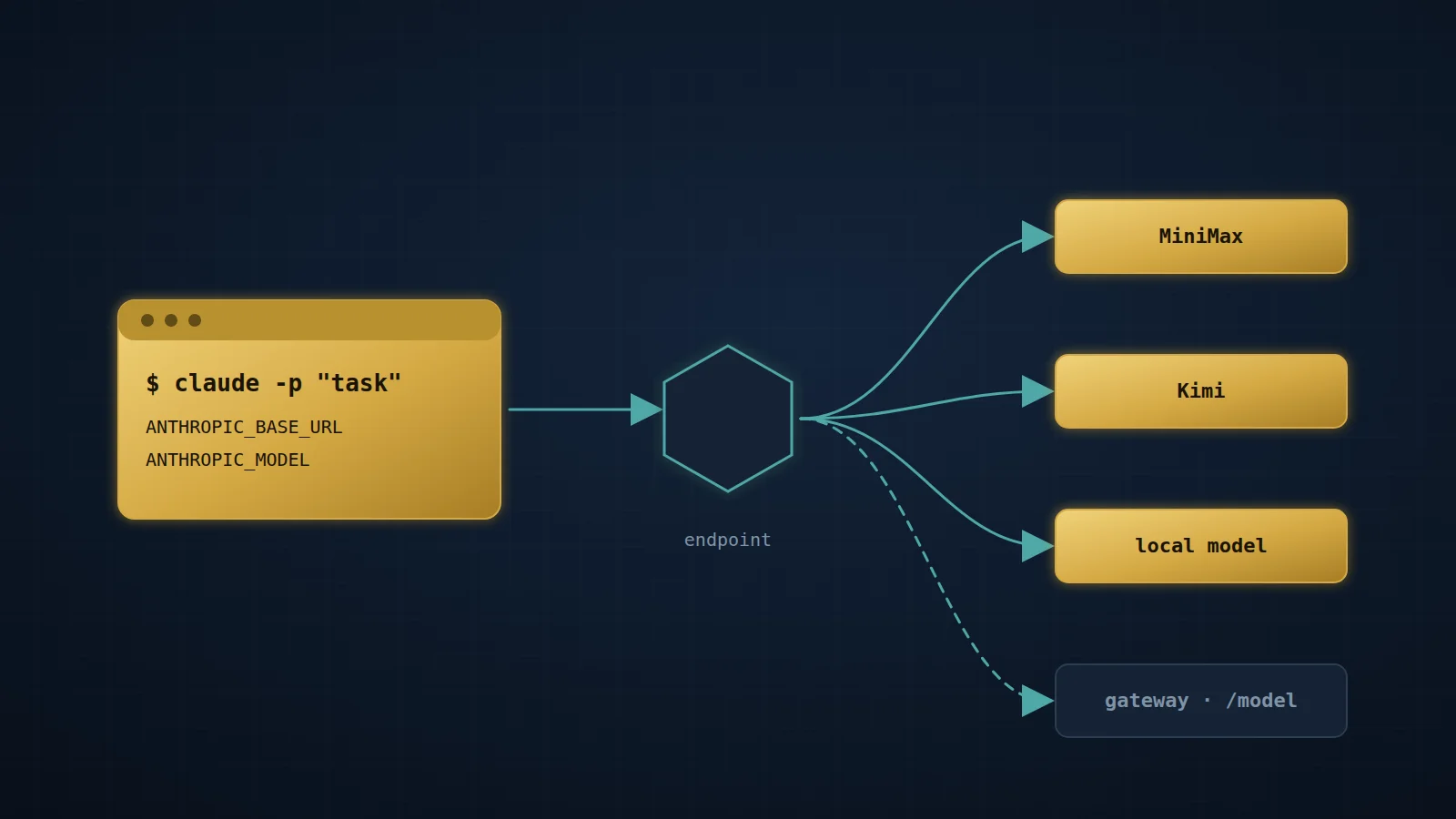 Article · November 11, 2026
Claude Code, headless, on other models
Three environment variables point a headless Claude Code session at MiniMax, Kimi or a local model. The wrapper scripts that make it run unattended, the six failures they fix, and why the planner reruns the checks.
 Article · October 28, 2026
One agent loop or many: a personal multi-model rig measured against Anthropic's advice to fold subagents
Anthropic now advises collapsing specialist subagents into one agent loop that loads skills on demand. My rig hands bounded work from one Claude Opus parent to cheaper models from four vendors. This piece sets Anthropic's advice beside vendor guidance, published measurements and my own logs, then lists six changes to the rig.
 Article · October 22, 2026
The Cost of Being Wrong
Comparing an agent with a human process honestly: three baselines, one expected-cost equation, and the questions the arithmetic cannot answer.