
Animated explainer videos from a chat, on an ordinary computer
A small MCP server lets Claude turn a topic into a narrated, animated explainer video in about two minutes, using only the processor of an ordinary computer.
Key takeaways
- Animated topic videos need no other AI, repository hook or paid API: Claude, three free tools and one small MCP server are enough.
- Each scene is an animated web page that Playwright records frame by frame into ffmpeg, with Piper text to speech for the narration.
- Everything runs on the processor: test videos of 27 to 31 seconds finished in 105 to 125 seconds with no graphics card in use.
- Two tools, one to start a video and one to check it, keep each call short so the chat client does not time out.
- Version 2 of the Python MCP SDK renamed FastMCP to MCPServer, so older tutorials need the new import.
- Each Piper voice has its own licence; the guide uses LJSpeech, a public domain dataset.
- The code, pinned versions and a test script are on GitHub, linked in the sources.
A question on a forum asked how to make animated videos about a topic for YouTube, and whether that needs another AI, a hook into a code repository or an API. None of those are needed here. Claude, three free tools and one small server make a narrated 30 second explainer in about two minutes, with no graphics card involved. Three test runs produced videos of 27 to 31 seconds and finished in 105 to 125 seconds, and a check every three seconds during one of those runs found no part of the work on the graphics card. Staying on the processor is the point, because the work then fits on a laptop and a graphics card can stay busy with something else.
The code from this guide is on GitHub [12], with the pinned package versions and a script, try_it.py, that makes one test video without any chat client.
What an MCP server is
An MCP server is a small program that gives Claude new tools to call. MCP stands for Model Context Protocol, the open standard Claude uses to talk to such programs. Each tool has a name and a description, and the program runs on the same computer as Claude. Claude decides when to call a tool, and the tool does the work, in this case writing a video file to disk.
What to install
- Claude Code, in a terminal. Claude Code can write the files and run the commands on the computer itself.
- Python 3, the language the server runs in. The server runs inside a virtual environment: a folder named .venv that holds this project's own packages, kept apart from the rest of the computer.
- ffmpeg, the free command-line tool that turns images and sound into video files.
- Three packages in .venv: mcp, the official Python software development kit (SDK) for writing servers; playwright, which drives a browser and brings its own copy of Chromium; and piper-tts, the text to speech engine that narrates the video.
- One Piper voice, a separate model file downloaded once with python -m piper.download_voices en_US-ljspeech-medium --download-dir voices.
The tested versions were Python 3.12, ffmpeg 6.1, mcp 2.3.0, playwright 1.65.2 and piper-tts 1.8.0. Playwright's Chromium is about a 124 MB download, and the voice file about 63 MB.
Cloning the repository [12] gives the server, the test script and a requirements file in one step. Claude Code can also do the whole setup itself. Open a terminal in an empty folder, start Claude Code, and give it this prompt:
"Set up this folder for making narrated explainer videos with a small MCP server. Check whether Python 3 and ffmpeg are installed and install whatever is missing, asking me before any command that needs an administrator password. Create a Python virtual environment named .venv in this folder, install mcp, playwright and piper-tts in it, and install Playwright's Chromium browser. Download the Piper voice en_US-ljspeech-medium into a folder named voices. Finish by printing the versions of Python, mcp, playwright, piper-tts and ffmpeg."
The server expects the voice file at voices/en_US-ljspeech-medium.onnx beside it, and it writes finished videos into a videos folder beside it as well.
The server
The whole server is one file called server.py. Save it in the folder that holds .venv.
"""explainer: a small MCP server that turns an outline into a narrated,
animated explainer video. Everything runs on the processor (no graphics card).

Tools:
  make_explainer  start a video from a title and a list of scenes
  video_status    check a video and get the finished file's path
"""
import asyncio
import html
import subprocess
import threading
import uuid
import wave
from pathlib import Path

from mcp.server.mcpserver import MCPServer
from piper import PiperVoice
from playwright.sync_api import sync_playwright
from pydantic import BaseModel

HERE = Path(__file__).resolve().parent
VIDEOS = HERE / "videos"
VOICE = HERE / "voices" / "en_US-ljspeech-medium.onnx"
W, H, FPS = 1280, 720, 30

server = MCPServer("explainer")
jobs: dict[str, dict] = {}


class Scene(BaseModel):
    heading: str          # the big line at the top of the scene
    points: list[str]     # up to four short points, shown one after another
    narration: str        # what the voice says during this scene


# ── one scene: an animated web page ─────────────────────────────────────────
def scene_page(scene: Scene, seconds: float) -> str:
    points = scene.points[:4]
    step = max(seconds - 1.5, 1.0) / max(len(points), 1)
    items = "".join(
        f'<li style="animation-delay:{1.0 + i * step:.2f}s">{html.escape(p)}</li>'
        for i, p in enumerate(points))
    return f"""<!doctype html><html><head><meta charset="utf-8"><style>
html,body{{margin:0;width:{W}px;height:{H}px;overflow:hidden;
  background:linear-gradient(135deg,#0f172a,#1e3a5f);color:#f8fafc;
  font-family:system-ui,sans-serif}}
h1{{margin:0;position:absolute;left:90px;top:90px;font-size:64px;
  opacity:0;animation:in .8s ease-out .2s forwards}}
.bar{{position:absolute;left:90px;top:180px;height:6px;width:0;background:#38bdf8;
  animation:grow 1s ease-out .4s forwards}}
ul{{position:absolute;left:90px;top:230px;margin:0;padding:0;list-style:none}}
li{{font-size:40px;margin:0 0 26px;padding-left:44px;position:relative;
  opacity:0;animation:in .7s ease-out forwards}}
li::before{{content:"";position:absolute;left:0;top:14px;width:20px;height:20px;
  border-radius:50%;background:#38bdf8}}
@keyframes in{{from{{opacity:0;transform:translateX(-30px)}}to{{opacity:1;transform:none}}}}
@keyframes grow{{to{{width:420px}}}}
</style></head><body>
<h1>{html.escape(scene.heading)}</h1><div class="bar"></div><ul>{items}</ul>
<script>window.seek=t=>{{for(const a of document.getAnimations()){{a.pause();a.currentTime=t*1000;}}}};</script>
</body></html>"""


def speak(text: str, wav_path: Path) -> float:
    """Narrate text into a WAV file with Piper; return its length in seconds."""
    voice = PiperVoice.load(str(VOICE))
    with wave.open(str(wav_path), "wb") as wav:
        voice.synthesize_wav(text, wav)
    with wave.open(str(wav_path), "rb") as wav:
        return wav.getnframes() / wav.getframerate()


def record(page_html: str, seconds: float, mp4_path: Path) -> None:
    """Record the animated page frame by frame into a silent MP4."""
    ffmpeg = subprocess.Popen(
        ["ffmpeg", "-y", "-loglevel", "error", "-f", "image2pipe", "-framerate", str(FPS),
         "-i", "-", "-c:v", "libx264", "-pix_fmt", "yuv420p", "-crf", "20", str(mp4_path)],
        stdin=subprocess.PIPE)
    with sync_playwright() as p:
        browser = p.chromium.launch(args=["--disable-gpu"])
        page = browser.new_page(viewport={"width": W, "height": H})
        page.set_content(page_html)
        for frame in range(round(seconds * FPS)):
            page.evaluate(f"seek({frame / FPS})")
            ffmpeg.stdin.write(page.screenshot(type="png"))
        browser.close()
    ffmpeg.stdin.close()
    if ffmpeg.wait() != 0:
        raise RuntimeError("ffmpeg could not write the scene video")


def ffmpeg_run(*args: str) -> None:
    subprocess.run(["ffmpeg", "-y", "-loglevel", "error", *args], check=True)


def build(job_id: str, title: str, scenes: list[Scene]) -> None:
    job = jobs[job_id]
    work = VIDEOS / job_id
    work.mkdir(parents=True, exist_ok=True)
    try:
        parts = []
        for i, scene in enumerate(scenes, 1):
            job["status"] = f"scene {i} of {len(scenes)}"
            wav = work / f"scene{i}.wav"
            seconds = speak(scene.narration, wav) + 1.0   # one quiet second at the end
            silent = work / f"scene{i}-silent.mp4"
            record(scene_page(scene, seconds), seconds, silent)
            part = work / f"scene{i}.mp4"
            ffmpeg_run("-i", str(silent), "-i", str(wav), "-c:v", "copy",
                       "-af", "apad", "-c:a", "aac", "-shortest", str(part))
            parts.append(part)
        job["status"] = "joining the scenes"
        listing = work / "parts.txt"
        listing.write_text("".join(f"file '{p.name}'\n" for p in parts))
        safe = "".join(c if c.isalnum() else "-" for c in title.lower()).strip("-") or "video"
        final = VIDEOS / f"{safe}-{job_id}.mp4"
        ffmpeg_run("-f", "concat", "-safe", "0", "-i", str(listing), "-c", "copy", str(final))
        job.update(status="done", file=str(final))
    except Exception as exc:  # report the failure instead of hanging
        job.update(status="failed", error=str(exc))


# ── the two tools ───────────────────────────────────────────────────────────
@server.tool()
async def make_explainer(title: str, scenes: list[Scene]) -> str:
    """Start a narrated, animated explainer video. Each scene shows a heading
    and up to four points while the narration is spoken. Returns a job id;
    call video_status with it to see progress and get the finished file."""
    job_id = uuid.uuid4().hex[:8]
    jobs[job_id] = {"status": "starting", "title": title}
    threading.Thread(target=build, args=(job_id, title, scenes), daemon=True).start()
    await asyncio.sleep(0)
    return f"Started video {job_id} ({len(scenes)} scenes). Check it with video_status."


@server.tool()
async def video_status(job_id: str) -> str:
    """Report a video's progress, and the path of the finished MP4."""
    job = jobs.get(job_id)
    if not job:
        return f"No video with id {job_id}."
    if job["status"] == "done":
        return f"Done: {job['file']}"
    if job["status"] == "failed":
        return f"Failed: {job['error']}"
    return f"Working: {job['status']}"


if __name__ == "__main__":
    server.run()   # stdio: the MCP client starts this script and talks over stdin/stdout
Four things happen inside it.
A scene is an animated web page. The function scene_page writes a page with a heading and up to four points, and each point fades in and slides in after the one before it. The page uses CSS animations (CSS is the language that styles web pages) and a seek function that pauses every animation and jumps it to a chosen moment, the same trick the first video guide [1] uses to record a web page frame by frame.
The page is recorded into ffmpeg. The function record opens the page in Chromium with the graphics card switched off, asks for one frame at a time at 30 frames per second, and pipes each screenshot straight into ffmpeg.
Piper narrates, and the scene is timed to fit. The function speak writes the narration to a WAV file and measures how long it lasts. Each scene then runs one second longer than its narration, so the last words are not cut off by the next scene.
The scenes are joined. ffmpeg concatenates the finished scene files into one MP4 in the videos folder, 1280 by 720 at 30 frames per second, with H.264 video and AAC sound.
Two tools, one to start and one to check
make_explainer takes a title and the list of scenes, starts the job in a background thread, and returns a job id at once. video_status takes that id, reports the progress, and gives the path of the finished file once the job is done.
The split is there because a render takes about two minutes and MCP clients can time out on a long tool call. Starting the work and checking it separately keeps every call short. The four tools article [2] uses the same pattern in front of image and video models.
A rename to watch for in the MCP SDK
Version 2 of the Python SDK renamed FastMCP to MCPServer, and the import moved to mcp.server.mcpserver. Tutorials that open with from mcp.server.fastmcp import FastMCP stop working on version 2, with a ModuleNotFoundError that points at the rename. The way through is to ask Claude to write the server against the version installed on the machine. Pinning mcp<2 in the virtual environment also keeps older code working.
Connect it to Claude Code
claude mcp add explainer -- <folder>/.venv/bin/python <folder>/server.py
claude mcp list
The first command registers the server under the name explainer. The second lists the registered servers, and the new one should show as connected. The official documentation [4] gives the same syntax. On Windows the Python path ends in .venv\Scripts\python.exe instead.
This was tested on Linux with Claude Code. Claude Desktop, macOS and Windows were not tested.
Ask for a video
With the server registered, the request is ordinary English. The tested prompt:
"Use the explainer tools to make a short narrated video, two scenes, explaining why the sky is blue for a ten year old. Keep each narration to two or three sentences. Wait for it to finish by checking video_status every 20 seconds, then tell me the file path."
The run was made end to end from a command line with claude -p and a small MCP configuration file. Claude wrote two scenes from the request, called make_explainer, polled video_status until it reported done, and gave back the path of a 30.8 second file. It also said that it had not watched the video, because all it can see is the status. The film at the top of this page is that file. Watching it before posting is the person's job.
Voices and licences
The narration engine is Piper, and its development now sits in a repository under the GNU General Public License, version 3 [5], after the original project was archived in October 2025. Each voice carries its own licence, and the text of that licence sits on the model card for the voice [6]. The voice used here is built from the LJSpeech dataset, which its model card lists as public domain. Another popular voice, Lessac, is built from a dataset under a research licence, so the model card comes before any video made with it goes out. This is a pointer to where the licence text lives, not legal advice.
Adapting the film
Ask for changes in plain words.
- "Change the colours and the font in scene_page to a dark green background with a serif heading."
- "Add a third scene that shows a prism splitting white light into a rainbow."
- "Use a different Piper voice." (The new voice's model card comes first.)
- "Make the video vertical at 1080 by 1920 for a Short." (The W and H constants at the top of the file set the size, and the fixed positions inside scene_page have to move as well.)
Other routes to animated video
| Route | Good for | How Claude drives it | Setup | Licence | Runs without a graphics card |
|---|---|---|---|---|---|
| Manim, with MCP servers | Maths animation, diagrams, equations | An MCP server that runs Manim scripts and returns the video | Python, then Manim Community or ManimGL, plus the MCP server that matches the install | Check the licence of the Manim project chosen | Yes |
| Remotion | Videos written as React code | An Agent Skill | Node and Remotion, rendering with npx remotion render | Free for individuals and organisations up to 3 people; a paid Company Licence for larger companies | Yes |
| Motion Canvas | TypeScript animation with a live preview editor | Claude writes the scene code | Node and the Motion Canvas packages | MIT | Yes |
| Blender MCP | 3D scenes inside Blender | An MCP server driving a live Blender session | Blender 3.0 or later, Python 3.10 or later, uv | Check the licence of the tool itself | Yes, but slow for 3D |
Two different projects carry the Manim name, so the MCP server has to match the Manim version installed. One server is listed in a public MCP directory [7] and another, for ManimGL, is on PyPI [8].
The Claude route for Remotion is a skill rather than an MCP server, and the licence changes with the size of the organisation making the video [9]. The Motion Canvas editor gives a live preview while the code runs [10], though the project's maintenance was unclear at the time of writing, so it is worth a check before relying on it. The Blender server drives a live Blender session [11], and only one server instance runs at a time.
The route in this guide is the lightest of the four. It needs a browser, a text to speech engine and ffmpeg, and all of it runs on the processor.
Related on this site
Making a first video with Claude [1] shows how the recorder works, frame by frame, from a single web page. Four tools, any model [2] puts the same MCP idea in front of image and video models that run on a graphics card. Five videos from one MCP [3] follows an agent driving a bigger app through its MCP server.
Sources
- Making a first video with Claude, from a web page to a local studioRandall Vollen. (2026).
- Four tools, any model: letting chat make pictures and video on a home GPURandall Vollen. (2026).
- Five videos from one MCP: an agent drives the VRGDG Music Video BuilderRandall Vollen. (2026).
- Claude Code MCP documentation
- Piper TTS engine
- Piper voice model cards
- Manim MCP server, listed in a public MCP directory
- manimgl-mcp on PyPI
- Remotion licence FAQ
- Motion Canvas
- Blender MCP
- animated-explainers-mcp, the code from this guideRandall Vollen. (2026).
Related reading
 Studio · November 8, 2026
Making a first video with Claude, from a web page to a local studio
A beginner's route into video: Claude writes a web page that animates, a short script records it to MP4, and five more steps lead to a local studio with pictures, clips and music.
 Article · November 7, 2026
Four tools, any model: letting chat make pictures and video on a home GPU
A recipe for letting any chat model in Open WebUI make pictures and short videos on a local GPU workstation: four thin tools in front of one image and video API, one model preset per chat model, and a phone as the front end.
 Studio · October 28, 2026
Five videos from one MCP: an agent drives the VRGDG Music Video Builder
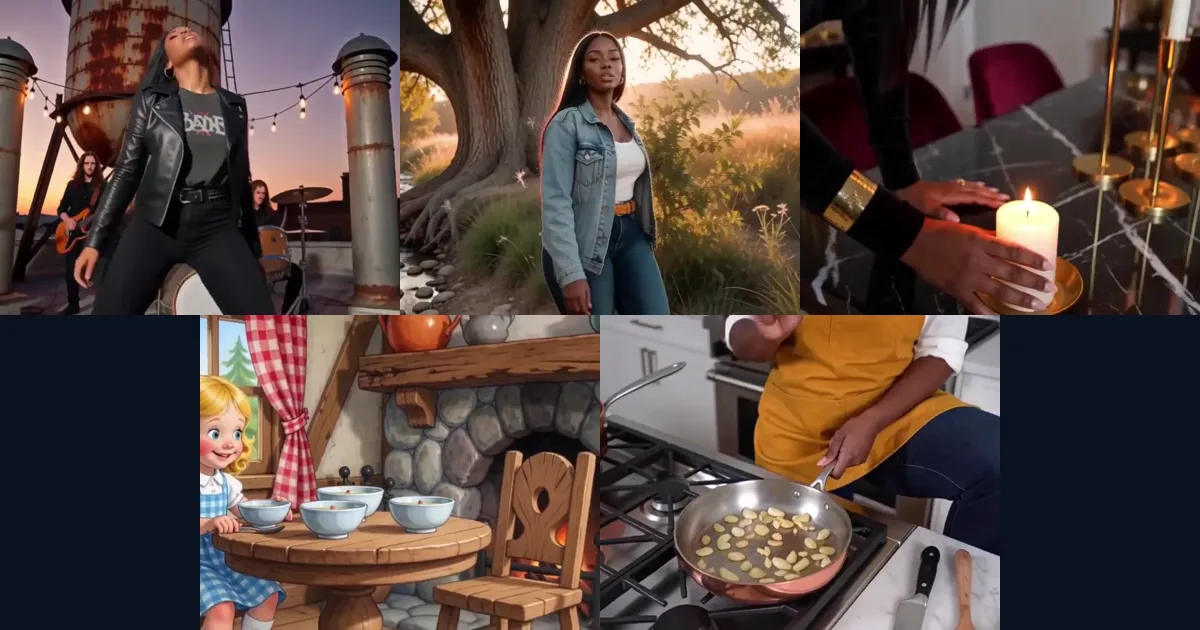
I gave Claude Code the MCP server that ships with the VRGDG nodes for ComfyUI and let it make the videos itself on one NVIDIA DGX. No one touched the Builder UI. It made rock, country and R&B music videos, a narrated Goldilocks and a cooking show. This entry has all five, what worked, what broke, and the runbooks to do it again.